Connect · MCP
Use a mind in your AI tools
Ask a real expert's mind without leaving Claude, Cursor or any MCP client. Answers carry the expert's name.
Add Sabli to your AI tool
One connection for every mind. Pick your tool; you'll sign in with your Sabli account at the end (5 free credits).
- 1Open Sabli in Claude's directory → Connect.
- 2Sign in with Sabli and press Allow. Works on claude.ai, Claude Desktop and the Claude app.
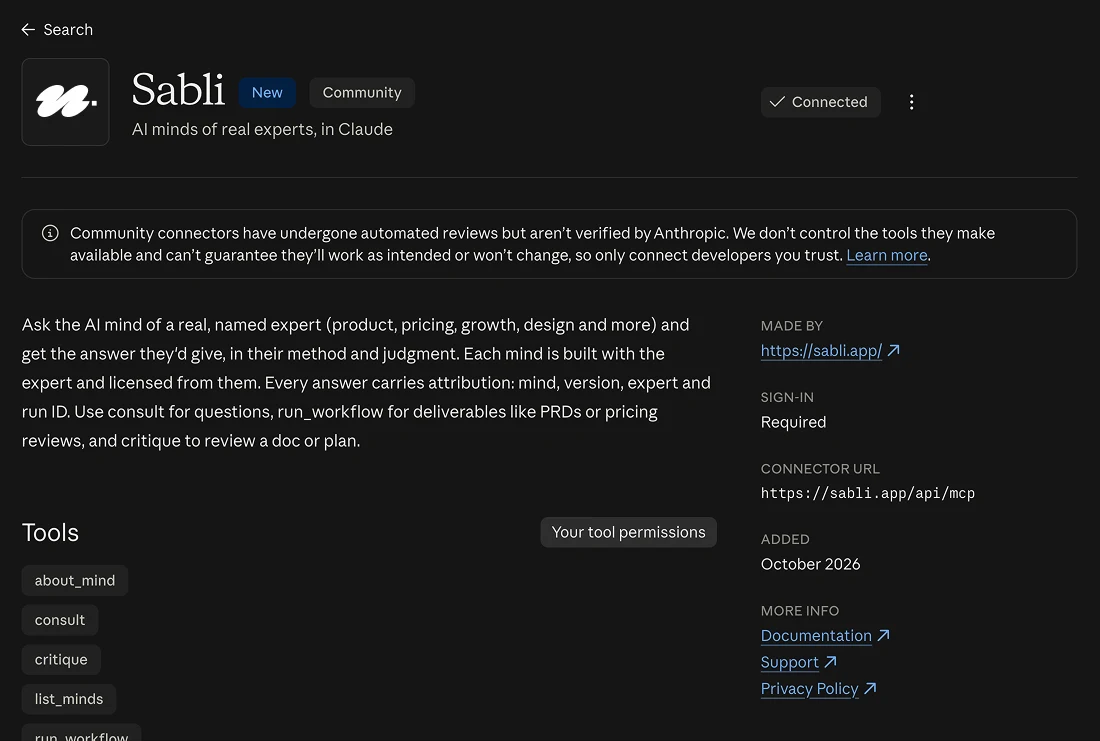 Live in Claude's connector directory
How it works
- Create a free account (email link, no password).
- Create a personal API key on this page. It's shown once; revoke it any time.
- Add a mind's address to your tool with the key as a Bearer token.
- Ask your tool to use the mind. Each answer is billed like a run on the web and saved to your history.
Addresses
All minds: https://sabli.app/api/mcp. Or one MCP server per mind (Streamable HTTP). With an API key, send Authorization: Bearer <your key>.
- Daniel Sousa
https://sabli.app/api/mcp/daniel-sousa - Pedro Duarte
https://sabli.app/api/mcp/pedro-duarte - Ruben Mangorrinha
https://sabli.app/api/mcp/ruben-mangorrinha - Maya Okafor
https://sabli.app/api/mcp/maya-okafor - Theo Lindqvist
https://sabli.app/api/mcp/theo-lindqvist - Priya Raman
https://sabli.app/api/mcp/priya-raman - Daniel Weiss
https://sabli.app/api/mcp/daniel-weiss - Kenji Arata
https://sabli.app/api/mcp/kenji-arata - Lena Moreau
https://sabli.app/api/mcp/lena-moreau - Marta Ribeiro
https://sabli.app/api/mcp/marta-ribeiro - Felix Brandt
https://sabli.app/api/mcp/felix-brandt
Web API
The same minds over plain HTTPS, with your API key, for Zapier, Make, n8n, custom GPTs and your own code.
Import the OpenAPI spec or call https://sabli.app/api/v1.
Tools every mind offers
- about
- Who the expert is: credentials, methods, topics, license terms.
- list_workflows
- The structured deliverables this mind produces, with IDs and price.
- run_workflow
- Run a named workflow on your brief (workflow_id, brief).
- consult
- Ask a question, with optional context, and get this expert's answer.
- critique
- Paste a piece of work and get it reviewed against the expert's rules of thumb.
Each mind's deliverables also appear as ready-made commands (MCP prompts), so in Claude you can pick “PRD by Maya's mind” from the menu and just add your brief.
Works with
claude.ai, Claude Desktop, Claude Code, ChatGPT, Cursor, VS Code (Copilot), Codex, Gemini CLI, Windsurf and any other MCP client, with a Sabli sign-in at /api/mcp (or an API key as a Bearer header). See Add Sabli to your AI tool.
On a Claude Team or Enterprise plan, only an organization owner can add connectors. Ask them to add Sabli once (Organization settings › Connectors, or tap Request on the Sabli listing); then everyone on the team can connect it with their own Sabli sign-in.
Pricing and attribution
Same plan and credits as on the web (Plan & billing). Every answer pays its expert and ends with an attribution block; keep it when you share the answer (licensing). Agents can read the full catalog at /llms.txt.